
Platform
Solutions
Resources
Whether you're broadcasting Sunday services, streaming university lectures, or producing live sports events, your streaming platform can make or break your audience's experience. The right features transform scattered content into an organized, monetizable media empire—while the wrong platform leaves you juggling multiple tools and losing revenue to unfair splits.
This guide breaks down the must-have features that separate professional-grade streaming platforms from basic video hosting. We'll cover everything from content management to multi-device distribution, helping you evaluate what your organization truly needs.
Best for: Organizations with extensive media libraries needing intelligent organization and searchability.
Lightcast's AI-powered content management centralizes your entire media library while using artificial intelligence to automatically organize, tag, and make everything searchable.
Managing thousands of videos manually becomes impossible as your library grows. AI-assisted tagging analyzes your content and automatically applies relevant metadata, making every sermon, lecture, or game instantly findable.
The centralized approach means no more hunting across different folders, drives, or platforms. Your entire team accesses the same organized library, with permissions controlling who can view, edit, or publish specific content.
AI-Assisted Tagging: Automatically categorizes content by topic, speaker, date, and custom parameters you define.
Centralized Media Library: Single source of truth for all video, audio, and live stream content across your organization.
Advanced Search Functionality: Find specific content instantly using keywords, dates, speakers, or custom metadata fields.
Scalable Storage: Grows with your needs without requiring migration to new systems as your library expands.
Team Collaboration Tools: Multiple users can manage content with role-based permissions and approval workflows.
Universities managing course content across departments, religious organizations with years of sermon archives, sports leagues tracking game footage, and any content producer dealing with hundreds or thousands of videos requiring organization beyond basic folders.
Included in Lightcast platform plans. Visit their pricing page for tier-specific details based on storage and feature requirements.
Best for: Content creators wanting maximum reach without manual uploads to each platform.
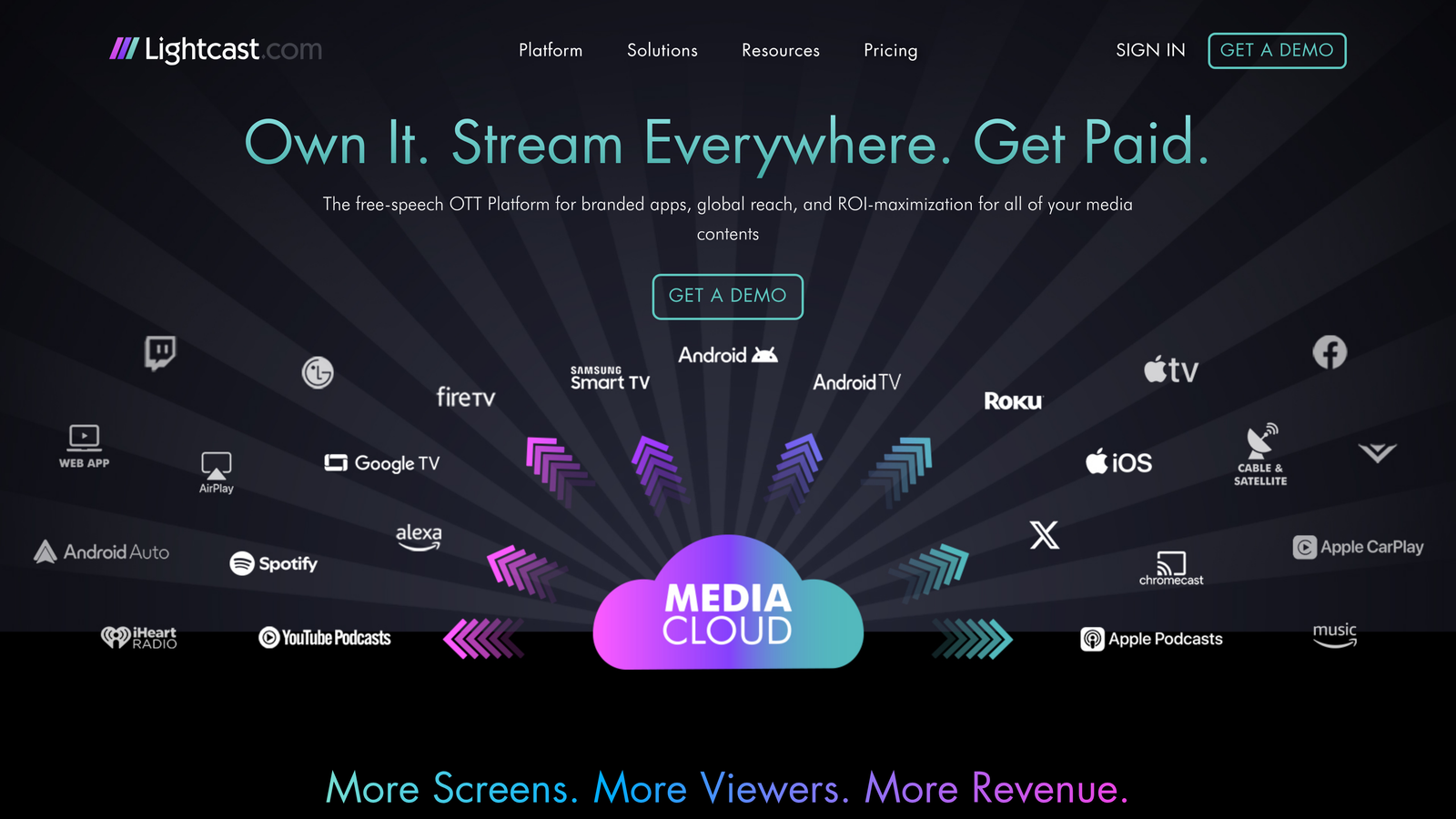
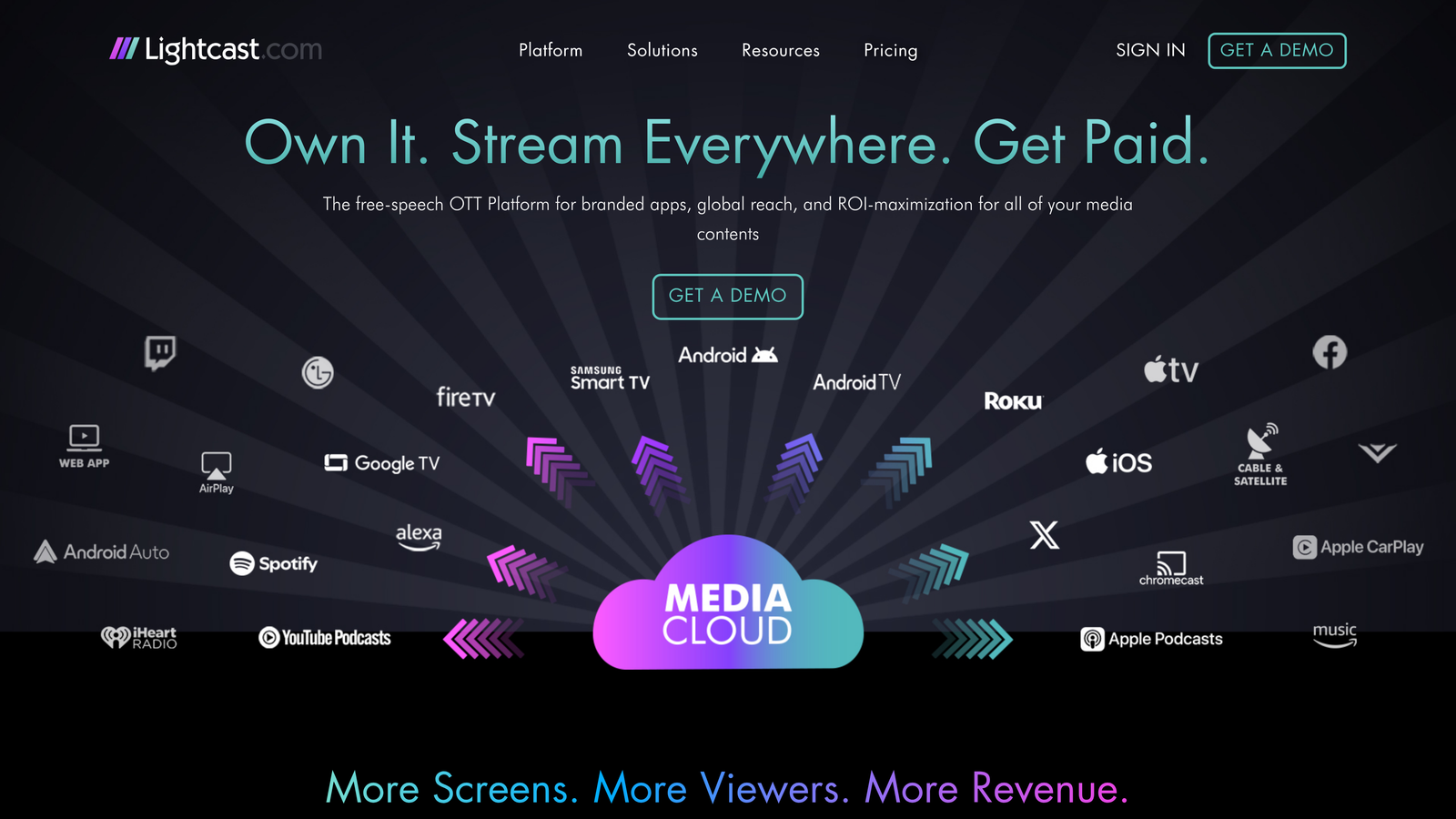
Lightcast's distribution system publishes your content simultaneously to all major streaming platforms with a single button press.
Publishing the same video to Roku, Apple TV, Fire TV, and your website traditionally means four separate uploads with different formatting requirements. One-click distribution eliminates this repetitive work entirely.
Your content automatically formats correctly for each platform's specifications. No more resizing thumbnails, adjusting aspect ratios, or troubleshooting why your video looks perfect on one device but broken on another.
Simultaneous Multi-Platform Publishing: Push content to all connected platforms at once from a single interface.
Consistent Formatting: Automatically adjusts video specifications, thumbnails, and metadata for each platform's requirements.
Reduced Manual Workload: Eliminates hours of repetitive uploading and formatting tasks each week.
Broader Audience Reach: Ensures your content appears wherever your audience prefers to watch without extra effort.
Centralized Content Updates: Make changes once and propagate them across all platforms automatically.
Organizations prioritizing efficiency over manual control, content teams with limited technical staff, and producers who need consistent presence across multiple streaming platforms without dedicating staff to platform-specific publishing tasks.
Included in standard Lightcast plans. No per-platform fees or additional charges for multi-channel distribution.
Best for: Organizations establishing professional branded presence on major streaming devices.
Lightcast's app publishing service creates custom branded applications for Roku, Apple TV, Fire TV, and Android TV, handling the entire submission process.
Having your own app in the Roku Channel Store or Apple TV App Store establishes legitimacy that embedded web players can't match. Viewers discover you through platform searches and recommendations rather than only through your website.
The technical complexity of app development and app store approval processes stops most organizations from attempting native apps. With 15,000+ apps published, this feature handles everything from design to submission to updates.
Custom Branded Apps: Your logo, colors, and branding throughout the viewing experience on each device.
Major Platform Support: Native apps for Roku, Apple TV, Amazon Fire TV, and Android TV devices.
App Store Submission Handling: Complete management of submission requirements, approvals, and updates for each platform.
Proven Track Record: 15,000+ apps published demonstrates extensive experience navigating platform requirements.
Ongoing Maintenance: Updates and compliance with changing platform requirements handled automatically.
Organizations wanting professional presence in streaming app stores, content producers targeting connected TV audiences, and institutions prioritizing brand recognition over generic embedded players.
App publishing costs vary by platform and customization level. Contact Lightcast for specific pricing based on your device targets and branding requirements.
Best for: Content creators seeking sustainable revenue without excessive platform fees.
Lightcast's monetization tools offer subscriptions, pay-per-view, and ad-supported models without the 30-50% revenue shares common on major platforms.
Many streaming platforms take significant cuts of your revenue—sometimes half of what viewers pay. Fair monetization models let you keep more of what you earn while still accessing professional payment processing and subscriber management.
Flexibility matters as much as fairness. Different content types demand different monetization approaches. Sunday services might work best as free with optional donations, while premium training content justifies pay-per-view or subscription models.
Subscription Management: Recurring revenue through monthly or annual subscription tiers with automated billing.
Pay-Per-View Options: Charge for individual events, courses, or premium content without requiring subscriptions.
Ad-Supported Tiers: Generate revenue through advertising while keeping content free for viewers.
Transparent Revenue Sharing: Clear pricing structure without hidden fees or excessive platform cuts.
Multiple Model Support: Mix monetization approaches for different content types within the same platform.
Organizations prioritizing revenue retention, content creators testing different monetization strategies, and institutions wanting flexibility to adjust pricing models as audience needs evolve.
Revenue share percentages vary by monetization model. Lightcast's transparent pricing structure ensures you know exactly what you'll keep from each transaction.
Best for: Organizations broadcasting live events requiring reliability and audience engagement.
Lightcast's live streaming capabilities deliver low-latency broadcasts with multi-camera support and interactive audience features.
Live events create unique engagement that recorded content can't replicate. Whether it's a championship game, graduation ceremony, or worship service, viewers expect professional quality without buffering or delays.
Low-latency delivery keeps your stream synchronized with real-time events. Multi-camera switching adds production value, while live chat and Q&A features transform passive viewing into interactive experiences.
Low-Latency Delivery: Minimal delay between live action and viewer screens maintains real-time engagement.
Multi-Camera Switching: Professional production quality with seamless transitions between multiple video sources.
Live Scheduling: Promote upcoming broadcasts with countdown timers and automatic notifications to subscribers.
Audience Interaction: Live chat, Q&A sessions, and polling keep viewers engaged throughout broadcasts.
Automatic Recording: Every live stream saves for on-demand viewing without additional configuration.
Sports leagues broadcasting games, universities streaming lectures and events, religious organizations conducting services, and any content producer where live interaction adds significant value.
Live streaming capabilities included in Lightcast plans. Specific features like multi-camera support may vary by tier.
Best for: Organizations creating 24/7 linear channels with minimal manual intervention.
Lightcast's scheduling system automates content rotation, creating always-on channels with electronic program guide integration.
Traditional TV channels run continuously without human intervention for every program transition. Automated scheduling brings this capability to streaming, letting you create curated playlists that run indefinitely.
Electronic program guide integration means viewers see what's playing now and what's coming next, just like traditional TV. This familiar experience reduces friction for audiences transitioning from broadcast to streaming.
24/7 Linear Channel Creation: Build continuously running channels from your content library without manual start/stop.
Automated Playlists: Set rotation rules once and let the system handle content sequencing indefinitely.
EPG Integration: Electronic program guides show viewers current and upcoming content schedules.
Set-and-Forget Operation: Minimal ongoing management once initial playlists and rules are configured.
Flexible Scheduling Rules: Create time-based rotations, themed blocks, or randomized playlists based on your content strategy.
Content producers with extensive back catalogs, organizations wanting always-available content without manual curation, and institutions replicating traditional TV channel experiences for streaming audiences.
Scheduling and playout features included in select Lightcast plan tiers. Check specific plan details for availability.
Best for: Content teams streamlining production from upload to publication.
Lightcast's workflow automation handles transcoding, approval chains, and publishing rules without manual intervention at each step.
Every video follows a similar path: upload, transcode to multiple formats, review for quality, approve for publication, and distribute. Automating these repetitive steps eliminates bottlenecks and human error.
Approval workflows ensure content meets standards before going live. Set up multi-level reviews where necessary, or fast-track trusted content types directly to publication based on rules you define.
Automated Transcoding: Converts uploaded content to all required formats and resolutions without manual processing.
Content Approval Chains: Route videos through designated reviewers before publication with notification and tracking.
Publishing Automation: Automatically publish approved content at scheduled times or based on custom triggers.
Integration Capabilities: Connect with existing tools and systems through APIs and webhooks.
Custom Rule Creation: Define workflows specific to your organization's processes and requirements.
Organizations with formal content approval processes, teams managing high volumes of content, and institutions requiring consistent quality control before publication.
Workflow automation features vary by Lightcast plan tier. Advanced automation capabilities may require higher-tier subscriptions.
Best for: Data-driven organizations optimizing content strategy and measuring ROI.
Lightcast's analytics dashboard tracks viewer engagement, revenue performance, and content effectiveness with detailed reporting.
You can't improve what you don't measure. Comprehensive analytics reveal which content resonates, where viewers drop off, and which monetization strategies generate the most revenue.
Geographic insights show where your audience concentrates, informing decisions about content timing, language support, and marketing focus. Device data reveals whether you're reaching connected TV viewers or primarily mobile audiences.
Viewer Engagement Metrics: Track watch time, completion rates, and replay behavior for every piece of content.
Revenue Tracking: Monitor subscription growth, pay-per-view performance, and advertising revenue in real-time.
Geographic Insights: Understand where your audience lives and when they watch most actively.
Content Performance Data: Compare videos to identify top performers and understand what drives engagement.
Custom Report Building: Create dashboards focused on metrics most relevant to your organization's goals.
Organizations making data-informed content decisions, teams justifying streaming investments to leadership, and content creators optimizing for audience growth and revenue.
Analytics capabilities included in all Lightcast plans. Advanced reporting features may vary by subscription tier.
Best for: Content producers diversifying revenue through advertising without compromising viewer experience.
Lightcast's advertising tools enable ad insertion, programmatic advertising support, and sponsor management for additional revenue streams.
Not all content suits subscription or pay-per-view models. Advertising lets you keep content free while generating revenue, expanding potential audience size significantly.
Programmatic advertising fills unsold inventory automatically, ensuring you maximize revenue from every view. Sponsor management tools let you feature specific advertisers for premium placements while maintaining control over ad quality and relevance.
Ad Insertion Technology: Place pre-roll, mid-roll, or post-roll advertisements without disrupting content flow.
Programmatic Ad Support: Connect to ad networks that automatically fill inventory with relevant advertisements.
Sponsor Management Tools: Manage direct advertising relationships and premium placements separately from programmatic inventory.
Revenue Diversification: Combine advertising with subscriptions or pay-per-view for multiple revenue streams.
Viewer Experience Controls: Set frequency caps and ad load limits to maintain positive viewing experiences.
Organizations with large free audiences, content producers wanting advertising revenue without subscriptions, and institutions balancing accessibility with monetization needs.
OTT advertising typically operates on revenue share models. Lightcast's transparent structure ensures you understand earnings from advertising inventory.
Best for: Organizations prioritizing reliability, longevity, and expert assistance.
Lightcast's platform infrastructure combines enterprise-grade reliability with 15 years of streaming experience and dedicated technical support.
Platform reliability matters most when you can't afford downtime. Whether broadcasting a championship game or streaming a major announcement, your infrastructure needs to handle traffic spikes without degradation.
Fifteen years of continuous operation demonstrates platform longevity that matters for long-term content strategy. You're not betting on a startup that might pivot or shut down—you're building on proven infrastructure.
Reliable CDN Infrastructure: Content delivery networks ensure fast, stable streaming regardless of viewer location or traffic volume.
15 Years Platform Experience: Proven track record managing streaming technology evolution and platform changes.
Technical Support: Expert assistance when you need help, not just documentation and community forums.
Enterprise Security: Data protection, access controls, and compliance features for organizations with strict requirements.
Automatic Scaling: Infrastructure adjusts to traffic demands without manual intervention or performance degradation.
Organizations where streaming reliability directly impacts mission success, institutions requiring long-term platform stability, and content producers wanting expert support rather than self-service troubleshooting.
Infrastructure and support levels vary by Lightcast plan tier. Enterprise options available for organizations with specific reliability or support requirements.
The streaming platform landscape has matured significantly. Organizations no longer need to piece together multiple tools or accept unfair revenue splits to reach their audiences professionally.
Start by evaluating your content management needs. If you're drowning in disorganized media files, AI-powered organization becomes your foundation. From there, consider distribution reach—are you limiting potential viewers by only streaming through your website?
Monetization strategy follows audience reach. Free ad-supported content builds large audiences quickly, while subscriptions or pay-per-view work better for premium specialized content. Many successful organizations mix approaches, offering free content alongside premium tiers.
The features that matter most depend on your specific situation. Universities prioritizing educational content need robust scheduling and workflow automation. Religious organizations focus on live streaming reliability and broad device distribution. Sports leagues require multi-camera production and real-time engagement tools.
What unites successful streaming operations is choosing platforms that grow with you rather than requiring migration as needs evolve. Look for proven longevity, transparent pricing, and infrastructure that scales automatically rather than forcing you into manual upgrades.
Your streaming platform should simplify operations, not add complexity. The right features eliminate repetitive tasks, maximize revenue retention, and let you focus on creating content rather than managing technology. Learn more about our services and how we've helped content producers across industries build sustainable streaming operations over 15 years of platform evolution.
