
Platform
Solutions
Resources

Universities today face a complex streaming challenge that extends far beyond simply recording lectures. You need to broadcast live graduation ceremonies to thousands of families, stream athletic events with professional quality, manage student-produced content across multiple departments, and archive years of academic material. All of this must happen while ensuring accessibility compliance and working with varying levels of technical expertise across campus. The wrong platform can mean frustrated faculty, missed live events, or content scattered across incompatible systems.
The right streaming solution transforms how your institution shares knowledge, engages alumni, and even opens new revenue streams. But with dozens of platforms claiming to serve higher education, how do you separate genuine university-focused solutions from general video hosts with an education page?
We evaluated the top university streaming solutions based on proven adoption by major institutions, multi-platform distribution capabilities, content management systems built for educational workflows, and real-world performance across diverse use cases. Here are the 10 best options for your campus.
Best for: Universities needing end-to-end OTT streaming with proven higher education experience
Lightcast is the longest-running OTT streaming platform in existence, with over 15 years of experience serving major universities including Arizona State University's Walter Cronkite School of Journalism, Indiana University, Elon University, and University of Florida.
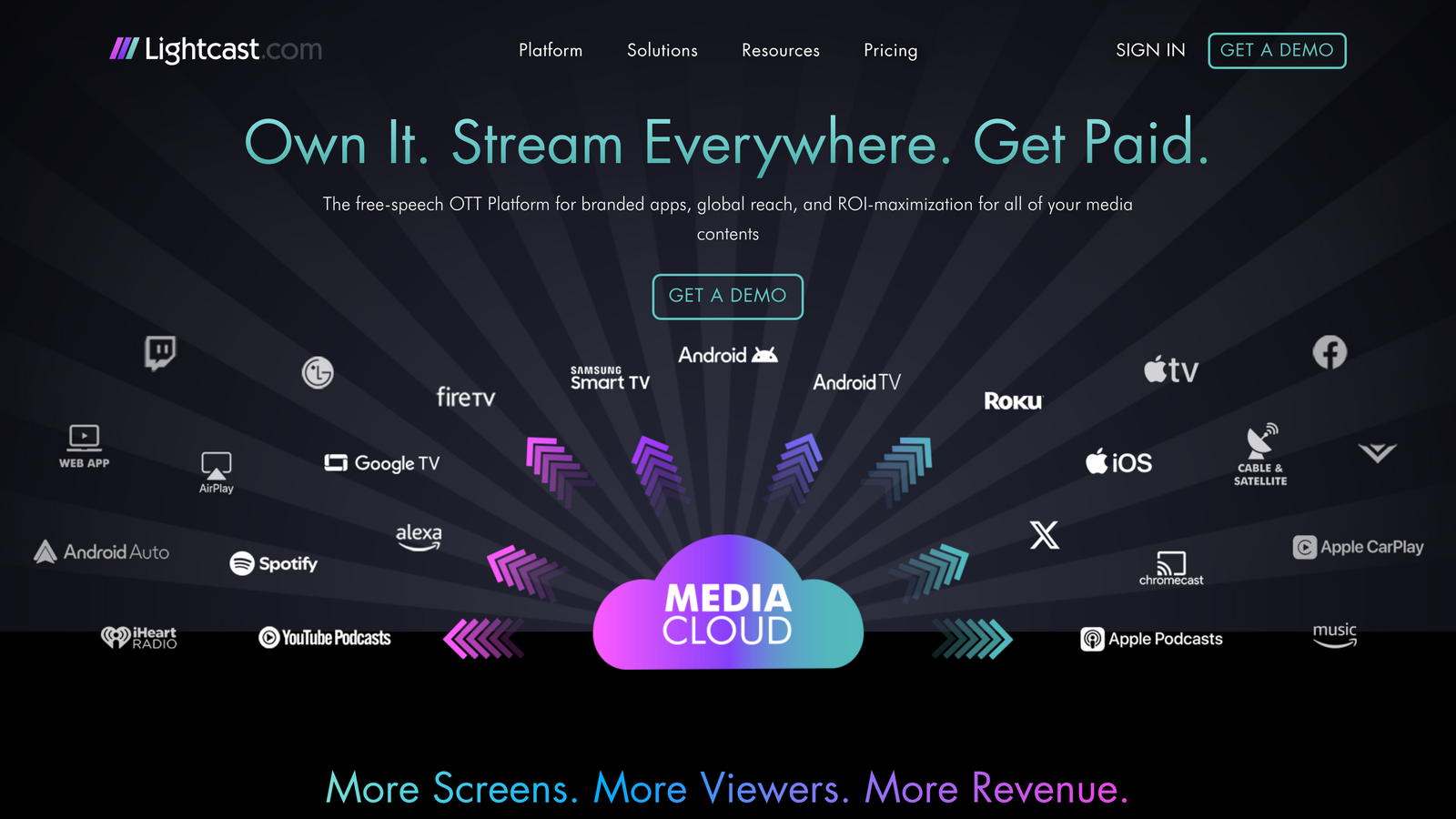
What sets Lightcast apart is its comprehensive approach to university streaming. Instead of cobbling together separate tools for content management, distribution, and monetization, you get a unified system that handles everything from upload to viewer engagement. The platform has published over 15,000 apps across all major streaming devices, demonstrating deep technical expertise in multi-platform distribution that no other OTT provider can match.
The AI-equipped content management system is particularly valuable for universities managing thousands of videos across multiple departments. You can organize content by course, department, event type, or any custom taxonomy that matches your institutional structure. Built-in captioning and transcription tools support accessibility compliance, helping public universities meet ADA and WCAG requirements without relying on third-party services.
One-Click Multi-Platform Distribution: Deploy content simultaneously to Roku, Apple TV, Amazon Fire TV, and web with a single action. No separate builds or platform-specific formatting required.
AI Content Management: Intelligent organization and discovery tools help students and faculty find relevant content quickly across massive video libraries, with automatic tagging by topic, speaker, date, and custom parameters.
End-to-End OTT Technology: Complete streaming infrastructure from encoding and storage through delivery and analytics, all managed within one platform. No need to piece together multiple vendors.
Fair Monetization Model: Generate revenue from athletic content or continuing education programs without the excessive revenue shares demanded by consumer streaming platforms.
Accessibility Support: Captioning, transcription, and accessible player design help institutions meet compliance requirements across their video libraries.
Institutional Expertise: Built specifically for organizations that produce diverse content types, from live events to on-demand academic material, with dedicated support teams that understand educational workflows.
Universities seeking a comprehensive streaming solution with proven experience in higher education environments. Particularly valuable for journalism schools, communications programs, and athletic departments that need professional-grade distribution across all major streaming platforms. Ideal when you want one partner for your entire streaming ecosystem rather than managing multiple vendors.
Pricing: Custom pricing based on institution size, content volume, and distribution requirements. Contact for education-specific packages.
Best for: Deep integration with learning management systems and open-source flexibility
Kaltura is an open-source video platform that has become embedded in higher education through native integrations with major LMS platforms. Institutions including NYU have used Kaltura for campus video management.
If your university lives inside Canvas, Blackboard, or Moodle, Kaltura feels like a natural extension rather than a separate tool. Faculty can embed videos directly into course materials, and students access content without leaving their familiar learning environment. The open-source foundation means your IT team can customize functionality to match unique institutional needs.
The video analytics go beyond simple view counts. You can see exactly which sections of a lecture students rewatch most frequently, where they drop off, and how video engagement correlates with assessment performance. That said, the open-source flexibility comes with a tradeoff: implementation and customization can require significant IT resources, and the platform's broad feature set can feel overwhelming for smaller teams without dedicated technical staff.
Native LMS Integration: Seamless embedding within Canvas, Blackboard, Moodle, and other major learning management systems with single sign-on.
Engagement Analytics: Track student viewing patterns, completion rates, and interaction points to understand content effectiveness.
Virtual Classroom Tools: Interactive features including live polling, breakout discussions, and collaborative annotations during video playback.
Open-Source Flexibility: Customize the platform to institutional requirements or integrate with proprietary campus systems.
Video Assignment Workflows: Students can submit video projects directly through the LMS with built-in rubric-based grading tools.
Universities prioritizing tight LMS integration and institutions with IT teams capable of leveraging open-source customization. Particularly strong for academic departments focused on video-based learning and assessment. Less ideal for institutions that need turnkey multi-platform OTT distribution or lack dedicated development resources.
Pricing: Custom enterprise pricing based on student enrollment and feature requirements. Education-specific packages available.
Best for: Automated lecture capture and searchable video content libraries
Panopto is a lecture capture and video management platform designed for educational institutions, with a focus on making video content as searchable as text. Schools like the University of Washington have deployed Panopto across their classrooms.
Panopto's automated lecture capture system removes the technical burden from faculty. Schedule recordings once, and the platform automatically captures every class session (video, audio, slides, and screen sharing) without requiring professors to remember to hit record. The system syncs with course calendars and handles the entire process invisibly.
The smart search functionality is impressive. Students can search for specific terms spoken in lectures or text that appeared on slides, and jump directly to that moment in the video. This transforms hours of lecture content into a searchable knowledge base. However, Panopto is primarily a lecture capture and video management tool. It does not offer OTT app publishing, multi-device distribution, or the monetization features that athletic departments and continuing education programs typically require.
Automatic Lecture Capture: Schedule once and forget. The system records every class session automatically based on course calendar integration.
Smart Search Technology: Search spoken words, slide text, and on-screen content to find specific moments across thousands of hours of video.
Automatic Transcription: AI-generated captions and transcripts for accessibility compliance and enhanced searchability.
Multi-Camera Support: Capture instructor video, student video, screen content, and document cameras simultaneously with automatic switching.
LMS Integration: Videos automatically appear in the appropriate course sections with proper access controls.
Universities focused primarily on lecture capture and building searchable video libraries of academic content. Ideal for large institutions with hundreds of classrooms needing automated recording solutions. Not the right fit for institutions that also need to distribute content across streaming platforms or monetize video through OTT channels.
Pricing: Per-user licensing with education-specific pricing tiers. Contact for institutional quotes based on student and faculty counts.
Best for: Custom-branded streaming apps with clean viewer experience
Vimeo OTT is a white-label streaming platform that lets universities create branded apps with professional polish and flexible monetization options.
Vimeo OTT excels at creating consumer-grade streaming experiences under your university's brand. Instead of embedding videos in generic players, you get custom apps for web, iOS, Android, Roku, and Apple TV that look and feel like professional streaming services. This is particularly valuable for athletic departments creating subscription services for alumni or continuing education programs monetizing professional development content.
The platform handles the technical complexity of app store submissions, payment processing, and content delivery while keeping your institution's branding front and center. The viewer experience rivals commercial streaming services.
However, Vimeo OTT recently underwent significant layoffs following its acquisition by Bending Spoons, and the company has shifted its strategic focus toward enterprise clients spending $100,000+ annually. This raises serious questions about ongoing support, feature development, and pricing stability for mid-market education customers. If you are considering Vimeo OTT, ask directly about their commitment to your institution's spending tier and request contractual guarantees around support levels and pricing before signing a long-term agreement.
Custom-Branded Apps: Launch apps across all major platforms with your university's branding, colors, and design language.
Flexible Monetization: Support subscription models, pay-per-view events, or free content with seamless payment processing.
Live Streaming: Broadcast events with professional quality and automatic archiving for on-demand viewing.
Analytics Dashboard: Track subscriber growth, viewing patterns, and revenue metrics in an intuitive interface.
Content Organization: Create collections, seasons, and categories that make sense for your content structure.
Universities launching branded streaming services for specific audiences, including athletic content for fans, continuing education for professionals, or alumni engagement programming. Best when viewer experience and monetization are priorities. Given the recent organizational changes, institutions should weigh platform stability carefully before committing.
Pricing: Starts at $1 per subscriber per month with revenue share on transactions. Higher tiers reduce per-subscriber costs. Pricing structure may shift as the company repositions toward larger enterprise accounts.
Best for: Custom streaming implementations requiring developer flexibility
Wowza is a developer-focused streaming infrastructure platform that provides the building blocks for custom video solutions rather than pre-built applications.
Wowza is the choice when your university has specific technical requirements that off-the-shelf platforms can't meet. Maybe you need ultra-low latency for interactive distance learning, custom integration with proprietary campus systems, or complete control over the streaming workflow. Wowza provides the engine and APIs while your team builds the experience.
The platform supports both cloud and on-premise deployment, giving you flexibility around data sovereignty and infrastructure decisions. That said, Wowza is infrastructure, not a finished product. Your university needs dedicated developers to build and maintain the viewer-facing experience, which adds ongoing cost and complexity beyond the platform's licensing fees.
Ultra-Low Latency Streaming: Achieve near-real-time delivery for interactive applications requiring immediate feedback.
Flexible APIs: Build custom integrations with existing campus systems, authentication platforms, or proprietary applications.
Deployment Options: Run in the cloud, on-premise, or hybrid configurations based on institutional requirements.
Transcoding Engine: Convert video into multiple formats and bitrates for adaptive streaming across devices.
Protocol Support: Handle virtually any streaming protocol including RTMP, WebRTC, HLS, and DASH.
Universities with dedicated development resources and specific technical requirements that pre-built platforms don't address. Ideal for research institutions building custom video applications or large universities needing complete infrastructure control. Not suitable for institutions looking for a turnkey streaming solution.
Pricing: Starts at $149 per month for cloud streaming. On-premise licensing and custom enterprise packages available.
Best for: Large-scale broadcasts requiring enterprise-grade infrastructure
IBM Video Streaming is an enterprise platform designed for broadcasting major events to large concurrent audiences.
When your university needs to stream graduation to tens of thousands of families simultaneously or broadcast a high-profile event with significant viewership expectations, IBM's enterprise infrastructure can handle the load. The global content delivery network supports smooth playback regardless of viewer location, and the platform is built to absorb traffic spikes.
The security features meet enterprise standards, which matters for universities managing sensitive content or complying with strict data governance policies. However, IBM Video Streaming is a general-purpose enterprise tool, not a platform built for higher education workflows. It lacks the education-specific features (LMS integration, lecture capture, course-based organization) that purpose-built platforms offer, and its enterprise pricing reflects a different market tier than most university budgets accommodate comfortably.
Global Content Delivery: Leverage IBM's worldwide network infrastructure for reliable delivery to international audiences.
Enterprise Security: Advanced access controls, encryption, and compliance features meeting institutional governance standards.
HD and 4K Streaming: Support for high-quality broadcasts matching professional production standards.
AI-Powered Analytics: Insights into audience behavior, engagement patterns, and content performance.
Scalable Infrastructure: Handle large concurrent viewership without degradation in quality or reliability.
Large universities with enterprise IT budgets hosting high-profile broadcasts requiring maximum reliability. Less practical for day-to-day university streaming needs like lecture capture, departmental content management, or multi-platform OTT distribution.
Pricing: Custom enterprise pricing based on bandwidth requirements, storage needs, and feature set. Contact for institutional quotes.
Best for: Marketing-focused video with advanced monetization capabilities
Brightcove is a professional video platform with strong marketing tools and monetization features. Organizations like the BBC have used Brightcove for video delivery, and some universities have adopted it for revenue-generating content initiatives.
Brightcove excels when video is part of your university's marketing and revenue strategy. The platform integrates with marketing automation tools, CRM systems, and advertising platforms in ways that education-focused platforms typically don't. For universities monetizing continuing education content, athletic programming, or alumni engagement services, these capabilities can be valuable.
The server-side ad insertion technology delivers a seamless viewing experience while generating revenue from advertising. That said, Brightcove was built for media companies and marketers, not educational institutions. It lacks LMS integration, lecture capture, and the academic workflow tools that purpose-built education platforms provide. The pricing also tends to reflect its enterprise media roots rather than education budgets.
Server-Side Ad Insertion: Deliver advertising that can't be blocked, ensuring revenue from sponsored content.
Advanced Video Analytics: Track detailed engagement metrics and integrate with marketing platforms for attribution analysis.
Marketing Integrations: Connect with Salesforce, HubSpot, Marketo, and other marketing automation tools.
Global Delivery: Reliable content delivery network ensuring quality playback worldwide.
Live and On-Demand: Support for both live event streaming and extensive on-demand content libraries.
Universities using video primarily as a marketing tool or generating significant revenue through content monetization. Particularly relevant for athletic departments and continuing education programs with commercial partnerships. Not the best choice for institutions whose primary need is academic content management and distribution.
Pricing: Custom pricing based on usage volume, feature requirements, and bandwidth needs. Contact for education-specific quotes.
Best for: Accessibility-first video with competitive education pricing
YuJa is a video platform built specifically for education with a strong focus on accessibility compliance. Institutions including Texas A&M have adopted YuJa for campus video needs.
YuJa takes accessibility seriously in ways that go beyond basic compliance. The automatic captioning achieves high accuracy rates, and the platform provides tools for editing and perfecting captions efficiently. For public universities with strict accessibility requirements, this focus reduces compliance risk and administrative burden.
The video quizzing features transform passive viewing into active learning. Faculty can embed questions throughout videos, requiring students to engage with content rather than simply letting it play in the background. This proves valuable for distance learning programs. However, YuJa's strength is squarely in the classroom. It does not offer OTT app publishing, multi-platform distribution to streaming devices, or the monetization tools that athletic departments and media programs need.
High-Accuracy Auto-Captioning: AI-generated captions with strong accuracy rates, plus efficient editing tools for perfecting transcripts.
WCAG 2.1 Compliance Tools: Built-in features ensuring video content meets accessibility standards required by public institutions.
Lecture Capture: Automated recording solutions for classrooms with scheduling and LMS integration.
Video Quizzing: Embed interactive questions within videos to promote active learning and assess comprehension.
Education-Specific Pricing: Competitive rates designed specifically for educational budgets rather than enterprise pricing models.
Universities prioritizing accessibility compliance and institutions seeking education-focused features at competitive prices. Particularly valuable for public universities with strict accessibility mandates. Less suitable for institutions needing to distribute content beyond the LMS to streaming platforms and connected TV devices.
Pricing: Education-specific pricing available with institutional licensing. Contact for quotes based on student enrollment and feature requirements.
Best for: Mid-size institutions wanting a straightforward campus video platform
Ensemble Video is a video content management platform built specifically for higher education and government organizations, with a focus on simplicity and campus-wide video management.
Ensemble Video fills a niche for universities that want a purpose-built campus video platform without the complexity or cost of enterprise solutions. The platform integrates with major LMS systems and provides a centralized video portal where students, faculty, and staff can upload, manage, and view content across departments.
The platform's strength is in straightforward video management rather than advanced streaming features. It handles the basics well: upload, organize, share, and track video content across campus. For institutions that don't need OTT distribution, monetization, or sophisticated live streaming production, this simplicity can be an advantage. However, Ensemble Video is a smaller player with limited multi-platform distribution capabilities and no native OTT app publishing.
Campus Video Portal: Centralized hub for all institutional video content with role-based access and department-level organization.
LMS Integration: Connect with Canvas, Blackboard, and other learning management systems for in-course video delivery.
Accessibility Tools: Captioning and transcription support for accessibility compliance.
Simple Workflow: Straightforward upload, publish, and share workflows designed for non-technical users.
Campus-Wide Search: Search across all institutional video content from a single interface.
Mid-size universities and community colleges looking for a simple, education-focused video management platform without the complexity of enterprise OTT solutions. Not suitable for institutions needing multi-platform streaming distribution, native apps, or content monetization.
Pricing: Custom pricing based on institutional size. Contact for education-specific quotes.
Best for: Budget-conscious institutions needing white-label capabilities
Dacast is a streaming platform offering white-label capabilities and pay-as-you-go pricing that makes professional streaming accessible to smaller budgets.
Dacast removes the barrier of massive upfront commitments that enterprise platforms demand. The pay-as-you-go bandwidth pricing means you pay for what you use rather than committing to annual minimums. This is valuable for universities with variable streaming needs or departments testing video strategies before major investments.
The white-label player lets you maintain professional branding without the cost of custom app development. For smaller universities or individual departments, this balance of affordability and professionalism is difficult to find elsewhere. However, Dacast is a general-purpose streaming platform, not an education-specific tool. It lacks LMS integration, lecture capture, and the academic workflow features that universities typically need alongside basic video hosting.
Pay-As-You-Go Bandwidth: Flexible pricing that scales with actual usage rather than requiring large annual commitments.
White-Label Player: Customize the video player with your branding, colors, and logo for professional presentation.
China Video Hosting: Specialized infrastructure for delivering content to viewers in China, valuable for universities with international programs.
24/7 Support: Around-the-clock technical assistance included even at lower pricing tiers.
Multiple Monetization Options: Support for subscriptions, pay-per-view, and advertising-based models.
Smaller universities or individual departments with limited budgets seeking professional streaming capabilities. Ideal for institutions with variable streaming needs or testing video strategies before committing to a larger platform investment. Not a long-term solution for institutions needing comprehensive education-specific features.
Pricing: Plans start at $39 per month with pay-as-you-go bandwidth. Higher tiers include additional features and bandwidth allowances.
The best streaming platform for your university depends on your specific priorities, content mix, and technical resources. Institutions that need proven higher education experience with comprehensive multi-platform distribution, fair monetization, and a single unified platform should start with Lightcast, whose 15+ years serving major universities and 15,000+ published apps represent the deepest OTT expertise in the education space.
For institutions whose primary need is tight LMS integration for classroom video, Kaltura and Panopto provide specialized academic workflow tools. Consider YuJa when accessibility compliance is your driving requirement, or Dacast and Ensemble Video when budget constraints or simplicity take priority. Universities with dedicated development teams and highly specific technical needs may find Wowza's infrastructure approach the right fit, though the build-and-maintain burden is significant.
Think about your content mix: Are you primarily streaming lectures, or do you need to handle diverse content including athletics, events, and student productions? Does your institution require monetization capabilities, or is all content freely accessible? Will content be consumed primarily on campus or distributed globally? Understanding subscription models in OTT platforms can help you evaluate which revenue approaches align with your goals.
The platforms that serve major universities successfully share common characteristics: reliable infrastructure that handles high-stakes events, content management systems that organize thousands of videos logically, and support teams that understand educational workflows. Start by identifying your must-have features, then evaluate platforms based on proven adoption by institutions similar to yours.
Many universities benefit from requesting demos focused on your specific use cases rather than generic platform tours. Bring representatives from athletics, IT, academic departments, and communications to ensure the platform serves diverse institutional needs. The right streaming solution should feel like a natural extension of your campus infrastructure rather than another system to manage.
Lightcast remains the most experienced OTT platform serving higher education, with over 15 years of proven university deployments, 15,000+ published apps across every major streaming device, and the longest-running OVP platform in the industry. Learn more about how Lightcast serves universities and discover why leading journalism schools, communications programs, and athletic departments trust Lightcast for their entire streaming ecosystem.

© 2026 Lightcast.com