
Platform
Solutions
Resources
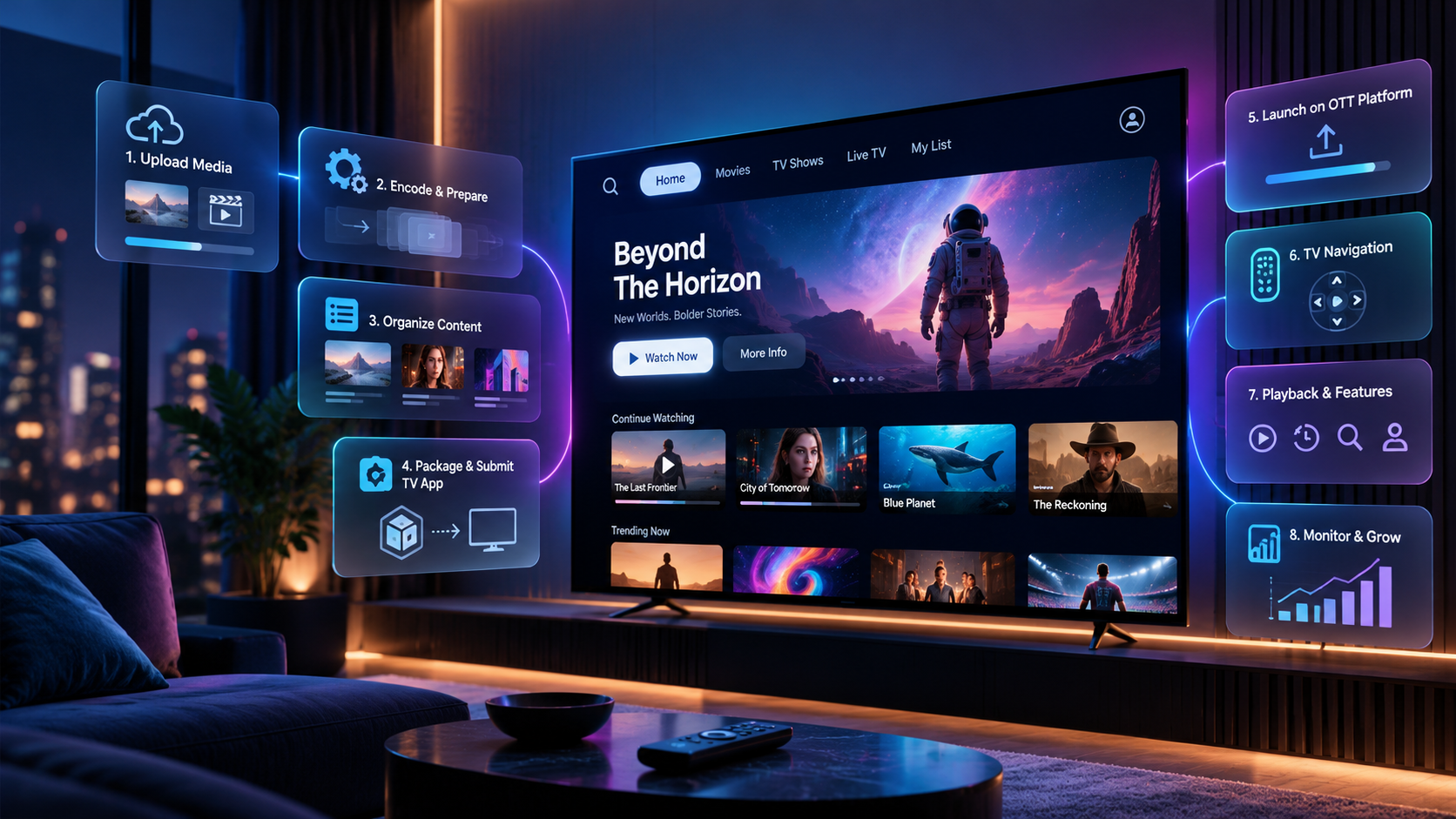
You can get your video onto living room sets if you build a Samsung TV app and run it from a working OTT platform. What follows is the order of work and what you should expect in those first few weeks.
First, you'll decide what will play on demand, what will run live, and whether you also need a scheduled linear feed. Name the audience you expect to draw on each of those sets and list the features they will actually use. For sure you'll at least need:
To prepare for getting your app out there, you'll want to upload master files, cut them into categories, and write titles, descriptions, and tags that a viewer can search. Add thumbnails, captions, and any trailers you intend to show on the first row. It normally takes from two to six weeks to get through this part, but if you use a single media system that encodes adaptive renditions as you upload, that will save you from doing that work again for a website or another living room TV store.
The package you send to the Samsung Apps TV Seller Office has to be complete on the first pass to avoid a rejected pre-test, which can set you back quite a bit. To get through, you'll need the signed application file, a 1920-by-1080 icon, a transparent logo, and four JPEG screenshots at 1280-by-720 or 1920-by-1080 (each under 500 kilobytes).
Remember that your viewers are using remotes to navigate, not trackpads, a mouse, or a finger on a screen. The focus rings have to be obvious, and pause, play, and back have to answer at once. Samsung's own development checklist treats playback, multitasking, connection recovery, and performance as items that testers will fail if they break, so run those cases on real hardware before you upload anything.
It's always wise to walk your customer's journey yourself before launching, going from first launch to resume-from-last-position, and don't forget to simulate common problems, like a network drop mid-stream.
The day the listing appears, it's time to turn on analytics. You want to watch metrics like:
Once you've got an idea of what people are looking for and how they're behaving, keep up a smooth cadence of new episodes, new art, and schedule changes.
A turnkey build can make all this smoother and faster. When everything lives on one platform with you, your media cloud can take encoding, delivery, and store packaging off your desk, design apps for you, and give you instant access to all the analytics you need. Branded listings can be live in days rather than months.
At Lightcast.com we've published more than twelve thousand applications across the major stores since 2010. Visit us at Lightcast.com today and request a demo to see how easy it is to put your channel on those screens.
