Platform
Solutions
Resources
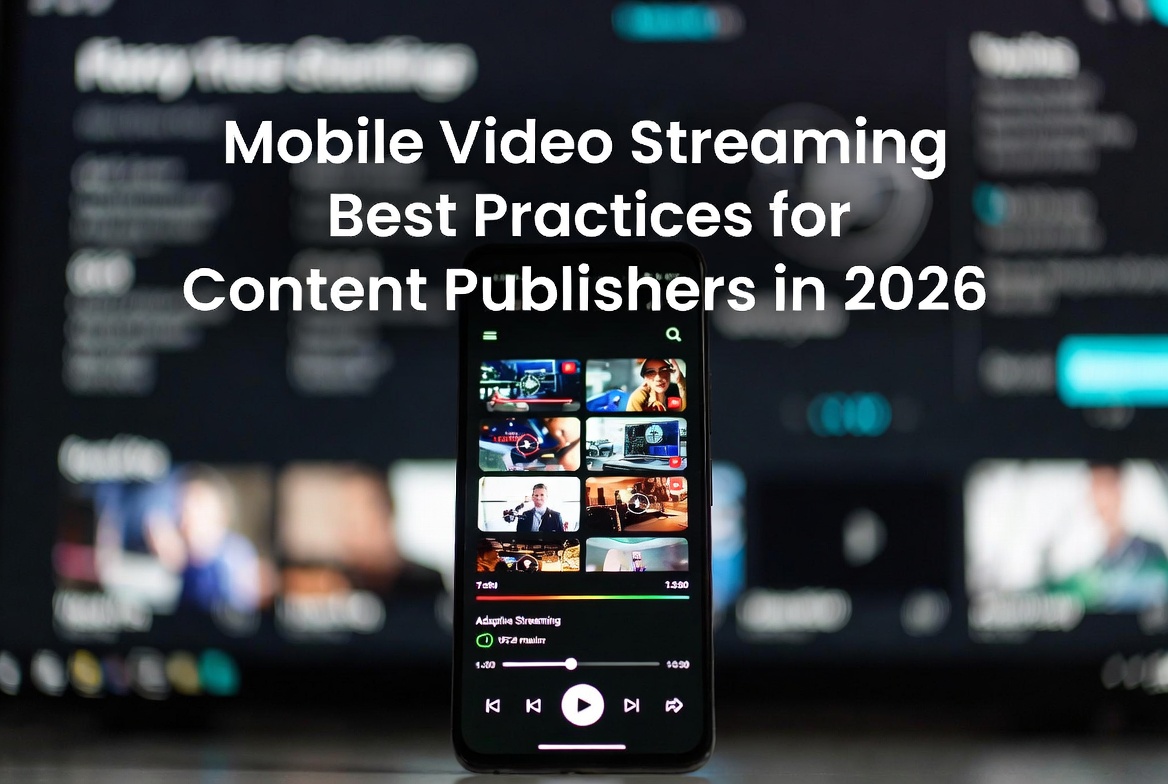
Direct Answer: Mobile video streaming best practices for content publishers in 2026 center on five areas - delivering through a native branded app rather than a browser, using adaptive bitrate streaming to serve every connection speed reliably, maintaining unified access control across every platform a viewer uses, leveraging push notifications to drive live event and new content viewership, and integrating mobile analytics with every other distribution channel in a single dashboard. Lightcast provides fully managed native iOS and Android apps for content publishers, integrated into the same CMS that manages Roku, Fire TV, Apple TV, and web distribution from a single upload.
Mobile is where content publishers lose the most audience they could have kept. Not because mobile viewers are disloyal - because the mobile experience most content publishers are delivering is not good enough to hold them.
A viewer who finds your content on mobile and encounters a browser login wall, a video player that buffers on cellular, a library with no search function, and no way to get notified when you go live next week is not a viewer you lost to a competitor. You lost them to friction. And friction on mobile is invisible to the organization creating it and obvious to the viewer experiencing it.
Getting mobile right is not about adding features. It is about removing the friction that stands between a viewer discovering your content and becoming a loyal audience member who comes back every week.
For context on how mobile fits into a complete distribution strategy, see our guide to mobile video streaming platforms for content publishers.
The single highest-impact mobile streaming decision a content publisher can make is building a native iOS and Android app rather than relying on a responsive website with an embedded video player.
The difference is not subtle. Native apps load faster, retain viewer preferences between sessions, support push notifications, manage subscription access natively, integrate with device media controls, and appear in the App Store and Google Play under the organization's name. A browser video experience does none of those things reliably.
The viewers content publishers are trying to reach interact with best-in-class native apps every day. They know the difference between a native experience and a browser workaround immediately. A native app says your organization takes mobile seriously. A browser experience says mobile was an afterthought.
What this looks like in practice: a branded app in the App Store and Google Play under your organization's name, with your visual identity throughout the experience - not a vendor template with your logo placed on top. For more on the full app development and maintenance process, see our guide to smart TV app development for content publishers.
Mobile viewers watch on cellular connections, public Wi-Fi, home broadband, and everything in between - often switching between them mid-session. A streaming platform that delivers the same fixed video quality regardless of available bandwidth will buffer for viewers on weaker connections and waste data for viewers on stronger ones.
Adaptive bitrate streaming solves this by automatically adjusting video quality in real time based on the viewer's available bandwidth. The viewer on a strong home Wi-Fi connection gets the highest quality the content supports. The viewer on a crowded cellular connection gets the best quality their connection can sustain without buffering. Neither viewer has to manually select a quality setting. The platform makes that decision continuously throughout the session.
For live content specifically, adaptive bitrate on mobile is non-negotiable. A viewer watching a live game on cellular who experiences buffering during a key moment does not adjust their expectations because it is live. They close the app.
What this looks like in practice: true adaptive bitrate delivery from a CDN with enough global coverage to serve your audience reliably regardless of geography. Lightcast delivers through 70,000+ CDN nodes worldwide - which matters particularly for content publishers with international or geographically distributed audiences. For more on live streaming specifically, see our guide to live video broadcasting for content publishers.
One of the fastest ways to erode a mobile subscriber relationship is inconsistent access control across platforms. A viewer who subscribes on their phone and then cannot access the same content on their Roku without creating a new account is not confused - they are frustrated. And frustrated subscribers cancel.
Unified access control means a subscription or access credential created on any platform works consistently on every other platform the viewer uses - mobile, connected TV, and web - without requiring separate authentication or duplicate payment. The viewer manages their account from whichever device they prefer and never encounters a platform-specific access barrier.
This is architecturally harder than it sounds because it requires the access control layer to be built into the streaming platform itself rather than handled by per-platform subscription systems that do not communicate with each other. Most fragmented streaming infrastructure fails here because the mobile billing system and the CTV billing system were built separately and never integrated.
What this looks like in practice: single sign-on that works from mobile to connected TV to web, with subscription management accessible from the mobile app without requiring a support interaction. For more on cross-platform monetization, see our guide to video content monetization for content publishers.
Push notifications are the most underused capability in most content publishers' mobile strategy. A native mobile app gives you a direct communication channel with every viewer who has downloaded it - a channel that reaches them on the device they are already holding, with immediacy that email and social posts cannot match.
The content publishers using push notifications most effectively are not using them to broadcast every piece of content they publish. They are using them selectively for the moments that matter most to their specific audience. Live event start alerts five minutes before tip-off. New episode notifications for a series a viewer has been following. Breaking content that a specific audience segment needs to know about immediately.
The key distinction is relevance over volume. A viewer who receives a push notification that is relevant to their interests opens the app. A viewer who receives push notifications for content they do not care about turns off notifications - and then you have lost that channel permanently for that viewer.
What this looks like in practice: push notification capability integrated into the CMS, with the ability to segment notifications by content type, audience interest, or subscription tier rather than blasting every notification to every app user. For more on real-time content delivery, see our guide to real-time content control vs. scheduled publishing.
Mobile viewership data is only actionable when it is part of the same analytics picture as connected TV, web, and every other distribution channel. A mobile analytics dashboard that exists in isolation from the rest of the platform tells you what is happening on mobile but cannot tell you how mobile behavior differs from connected TV behavior for the same content, which viewers use both platforms and how their engagement patterns differ, or whether a mobile campaign is driving connected TV viewership as well.
Integrated analytics across every platform is what enables the content decisions that actually improve mobile performance. Which content formats drive the strongest mobile session depth. Which live events generate the most mobile viewership relative to connected TV. Which mobile notification strategies drive the highest return visit rates. These insights only exist when the data is unified.
What this looks like in practice: mobile viewership data flowing into the same dashboard as every other platform, with device-level breakdowns that surface mobile-specific patterns without requiring a separate analytics tool or manual data reconciliation. For more on streaming analytics, see our guide to video analytics and insights for content publishers.
Sports content on mobile is highest-stakes around live events and immediate post-game content. The fan who cannot get the app to work during a championship game cancels. The fan who gets a push notification five minutes before tip-off and opens immediately to a clean, fast streaming experience renews. Mobile best practices for sports are disproportionately about live event reliability and immediate post-game replay availability. For more on sports OTT infrastructure, see our guide to OTT platforms for sports organizations.
Students are the most mobile-native audience any content publisher has. They expect the same quality of mobile experience from their university's content app that they get from every other app on their phone. The institutions meeting that expectation are building ongoing content relationships with students that extend beyond graduation into alumni engagement. For more on education digital media, see our guide to digital media solutions for education.
The mobile sermon listener, the congregant catching the replay on a Tuesday morning commute, the young adult whose primary church engagement happens on their phone - these audience segments are growing and their mobile experience shapes their relationship with the church as much as the Sunday morning service does. For more on faith streaming, see our guide to OTT platforms for churches and faith organizations.
Media organizations with strong mobile apps retain subscribers at meaningfully higher rates than those without them. The daily habit of opening a news or content app is more durable than the weekly habit of visiting a website. Mobile best practices for media are disproportionately about habit formation - consistent notification timing, reliable performance, and a content organization that rewards return visits. For more on broadcaster OTT, see our guide to OTT platforms for broadcasters.
Lightcast provides fully managed native iOS and Android apps for content publishers, built and maintained under the client organization's name, integrated into the same platform that manages every other distribution channel.
Native iOS and Android Apps: Fully branded native apps in the App Store and Google Play under the organization's name. The mobile experience reflects the organization's identity throughout - not a vendor template.
Adaptive Bitrate Delivery: Global CDN infrastructure with 70,000+ nodes delivers adaptive bitrate streaming to mobile viewers automatically, matching video quality to available bandwidth in real time without viewer intervention.
Unified Cross-Platform Authentication: A subscription or access credential created on any platform works consistently on mobile, connected TV, and web. Single sign-on. No duplicate accounts. No per-platform access barriers.
Push Notification Integration: Push notification capability is integrated into the Lightcast CMS, enabling content teams to send targeted alerts to app users without a separate notification tool or developer involvement.
Integrated Mobile Analytics: Mobile viewership data flows into the same Lightcast analytics dashboard as every other platform. One view of the complete audience picture across every distribution channel simultaneously.
AI-Powered Workflow Automation: Mobile publishing is integrated into the same automated workflow as every other platform. One upload. One metadata entry. One publish action that reaches mobile viewers simultaneously with connected TV and web viewers. For more on AI automation in streaming, see our guide to AI automation in streaming.
For the complete picture on how mobile fits into a full digital media strategy, see our overview of digital media solutions for education and business and our guide to digital media strategy for content publishers.
Mobile video streaming best practices in 2026 are not about adding mobile as a distribution channel. They are about delivering a mobile experience that earns the return visits, push notification permissions, and subscription loyalty that make mobile a meaningful audience asset rather than a secondary afterthought.
Native apps. Adaptive delivery. Unified access control. Targeted push notifications. Integrated analytics. Those five practices, executed well, are what separates a mobile streaming presence that builds audience from one that technically exists but never compounds.
Lightcast gives content publishers the infrastructure to execute all five - from a single platform, with no separate mobile workflow, and no gap in the analytics picture.
To learn more or schedule a demonstration, visit lightcast.com.
Published: April 21, 2026
Category: Streaming Strategy
Tags: mobile video streaming, mobile streaming best practices, mobile OTT, iOS streaming, Android streaming, branded mobile app, content publisher mobile, Lightcast mobile